Features
Shopify promo scheduling,
discount automation & revenue tracking.
From scheduling your first promo to tracking whether it hit its revenue target, PromoOS handles the full campaign lifecycle. One app, one interface, no manual steps.
Core Capabilities
Schedule, deploy, and manage every promo
Promo Scheduling
Promos go live when you want, not when you remember
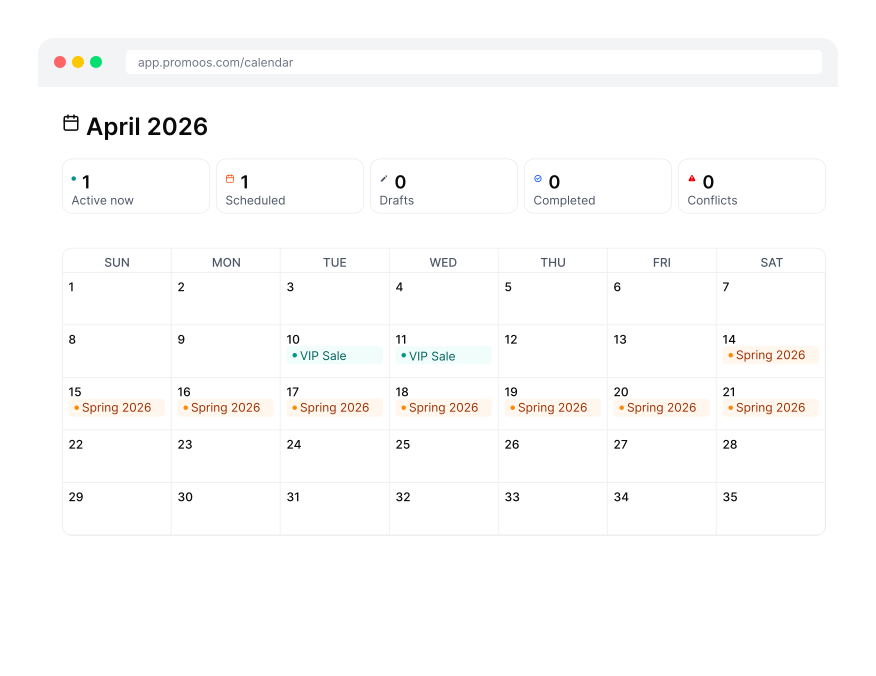
Schedule campaigns weeks in advance from a calendar interface. PromoOS activates everything at the moment your promo starts and reverts it automatically when it ends.
- Drag-to-schedule on a visual calendar
- Concurrent campaign support with conflict detection
- Open-ended promos for evergreen campaigns
- Repeat promo patterns for recurring sales
Discount Management
Every discount type Shopify supports, fully automated
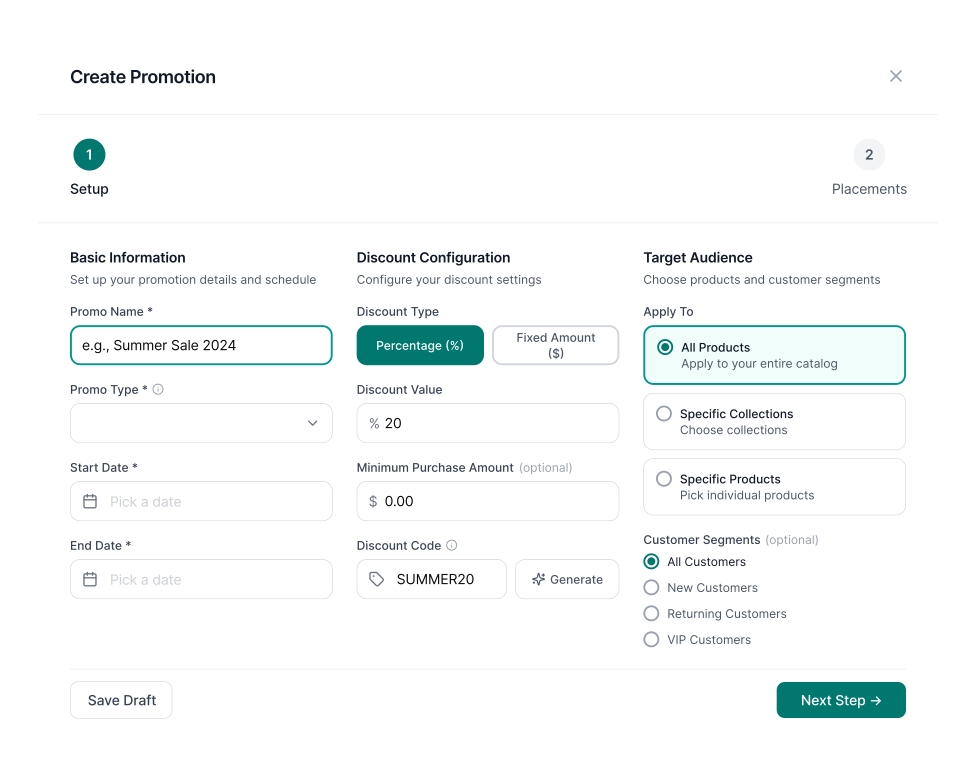
Create and schedule any discount type from PromoOS. Set usage limits, minimum requirements, and per-collection compare-at pricing overrides — all in one form.
- Percentage off, fixed amount, BOGO, free shipping
- Compare-at pricing with per-collection overrides
- Usage limits and minimum purchase requirements
- Combine with other discounts (combinesWith control)
- Import existing Shopify discounts
Revenue & Analytics
Know within hours, not after the fact
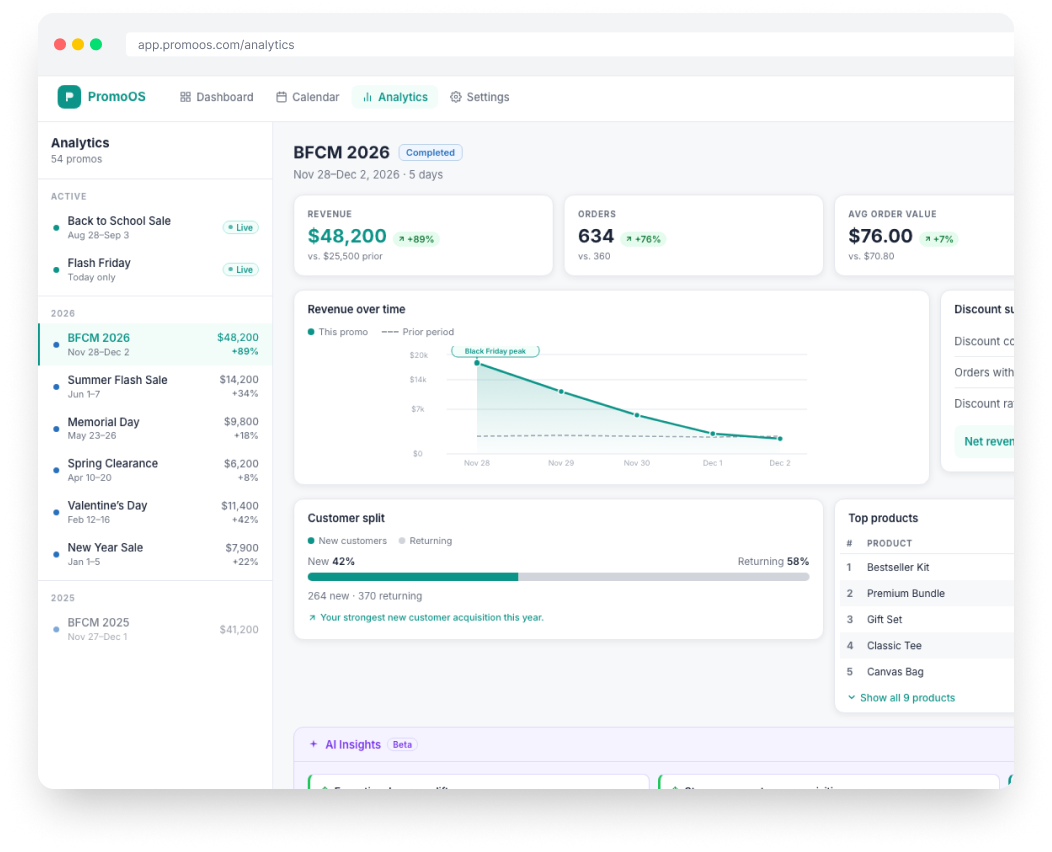
Every promo has a revenue target. PromoOS tracks orders and revenue attributed to each campaign in real time so you can see whether it is working while you can still act on it.
- Revenue goal per promo, set at creation
- Live order count and revenue attribution
- AI Insights - understand what drove results
- AI channel attribution: ChatGPT, Google AI Mode, Copilot
- Campaign comparison across all past promos
Everything Else
The full stack, from launch to results
Storefront Deployment
Banners go live with your promo, not after
PromoOS deploys hero banners and announcement bars at the exact moment your campaign starts. When the promo ends, everything is removed automatically. No theme editor, no manual cleanup.
- Hero banner + announcement bar, both schedulable
- Custom message and color per promo
- Works with any Shopify Online Store 2.0 theme
- No code changes required
Campaign Rollback
End early or let it expire. Everything reverts.
When a promo ends, PromoOS reverts discounts, removes banners, and restores compare-at prices automatically. No manual cleanup in Shopify admin required.
- Automatic rollback at scheduled end time
- Terminate early or let it expire, everything reverts automatically
- Discount codes deactivated, banners removed
- Compare-at prices restored across all affected products
BFCM & Seasonal Campaigns
Schedule your biggest sales weeks in advance
PromoOS is built for high-volume promo weekends. Schedule Black Friday, Cyber Monday, and the surrounding campaigns in a single sitting. The system handles activation so you are not logging in at midnight.
- Multiple concurrent campaigns without conflicts
- Promo checklist with 2-day reminder notifications
- Overlap detection before campaigns go live
- Full campaign history for year-over-year comparison
Already on Shopify Plus? See how PromoOS compares to Launchpad.
Ready to run promos
without the spreadsheet?
Start free, no credit card. Upgrade to Starter or Pro when you need automated deployment or AI promo creation.
Free plan available · No credit card required · Works with any Shopify 2.0 theme